5.3 Frequently Asked Questions
5.3.1 Frequently Unable to Request Ads
- Follow the Troubleshooting Guide to check initialization, cloud configuration, ad source integration, request callbacks, and display callbacks in order.
- If the Hisavana SSP ad source does not deliver ads, see the first FAQ in the Hisavana SSP integration documentation.
- If the issue remains unresolved, provide the SDK version, placement, error code, and complete incident-period logs listed in the troubleshooting guide.
5.3.2 Native Ad Display Style Issues, Admob Ad Source Display Issues, as shown below
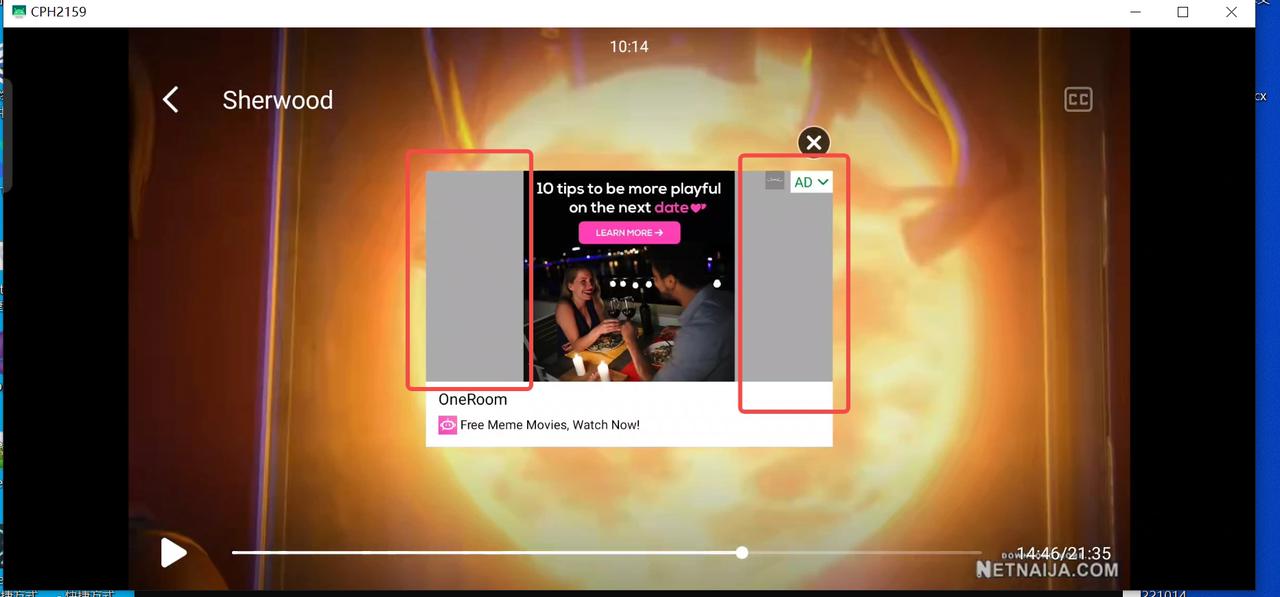
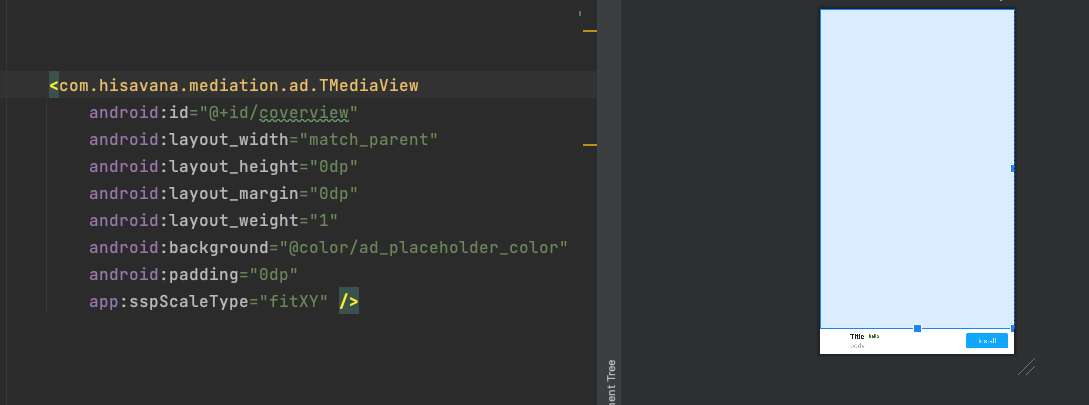
5.3.3 Mediation SDK error codes 9042 (Cloud control unavailable), 9009 (Ad unit unavailable) or 9003 (Ad unit ID configuration error) - Unable to request cloud control, no cloud control request initiated, etc.
- Verify if appid and app package name are correct during media initialization
- Verify if configured in correct environment (production environment), media only has production environment after SDK integration
- Verify ad unit ID configuration is correct
5.3.4 Native Ad AdChoiceView Size, No AD Label (Media self-added)
Mediation SDK native AdChoiceView recommends adaptive width and height, only EW ad source's AdChoiceView supports language reversal.
5.3.5 Cloud Control Not Updated Timely After Operations Modify Application Configuration
SDK updates cloud control have specific timing and conditions, sometimes not immediate. For example, if media doesn't aggregate EW ad source, cloud control version update requires waiting for request interval. Media can clear cache to update cloud control
- Mediation SDK request timing: Get after cold start, get after request fill
- Mediation SDK cloud control request conditions: (Cloud control version number + request interval) control cloud control requests
- No current cloud control configuration, request cloud control configuration
- Current cloud control configuration exists but version number updated (updated when requesting EW ads), indicating cloud control configuration updated, request cloud control configuration
- Current cloud control configuration exists, version number not updated, but cold start and reached cloud control request interval (4 hours), request cloud control configuration
5.3.6 Integrating FB Ad Source, FB Ad Bidding Consistently Fails
FB official has restrictions on third-party mediation. Third-party integration for bidding must be whitelisted through FB official settings. Contact operations personnel to set up whitelist.
5.3.7 Pangle, Vungle Backend Data Shows No Requests Initiated
- Pangle: Media confirms if ad source code unit ID configuration is correct. SDK supports client-side bidding and waterfall, doesn't support server-side bidding
- Vungle: Media confirms if ad source code unit ID configuration is correct. Vungle code unit ID needs to use guaranteed price ID, not bidding ID
5.3.8 Admob Download-type Ads Show Download Button When Clicked
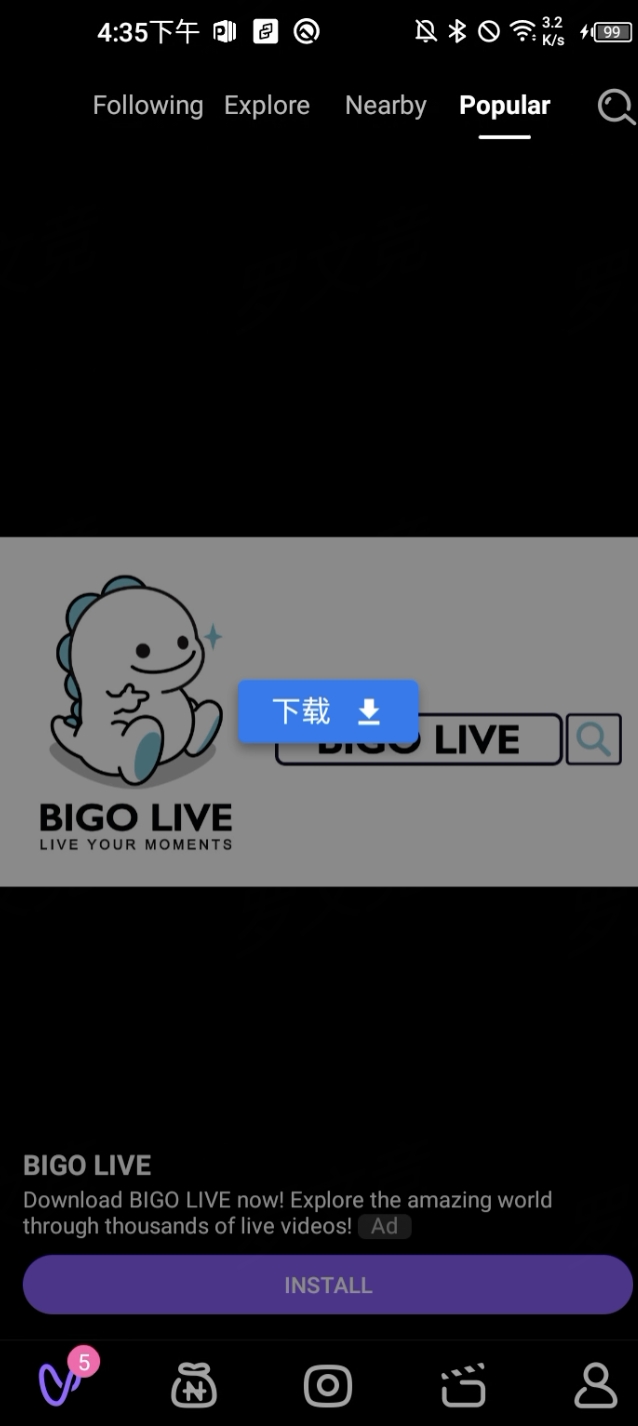
5.3.9 Some Admob Video Ads Have Large Play Button But No Response When Clicked
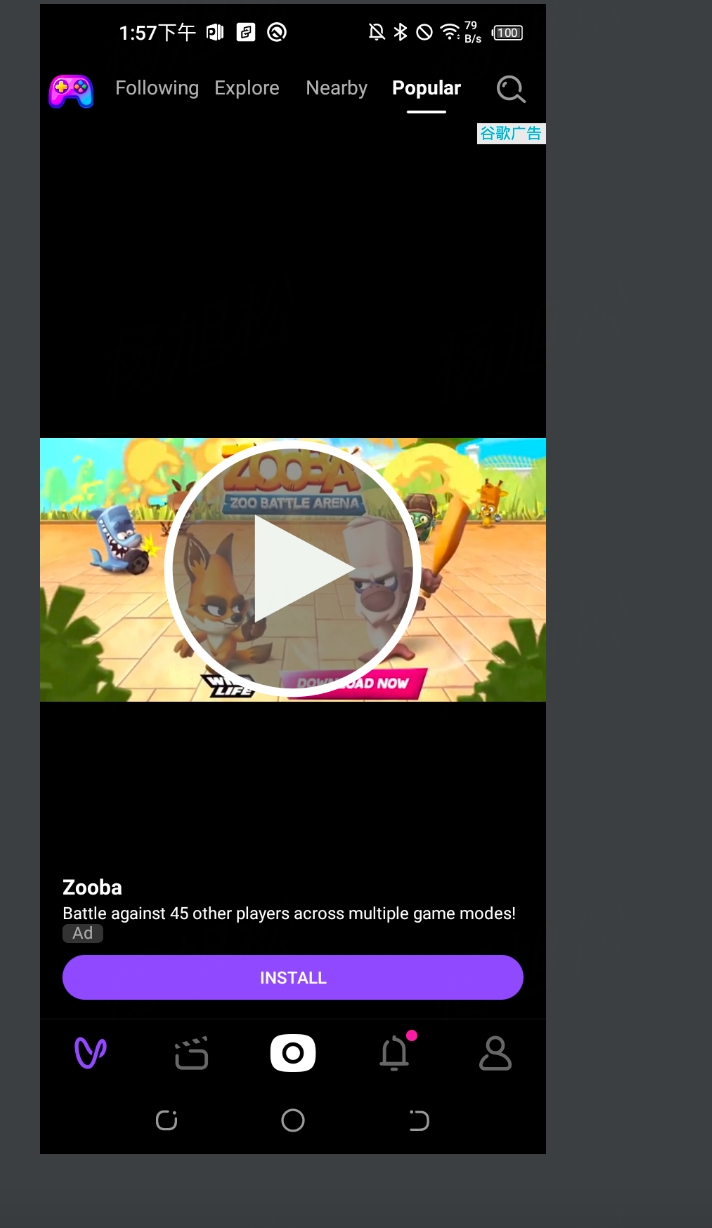
Google material delivery issue, because non-playable video material ratio is 0:0, playable video material is not 0:0
5.3.10 Admob, Hisavana SSP Native Ads Show Small Images Online
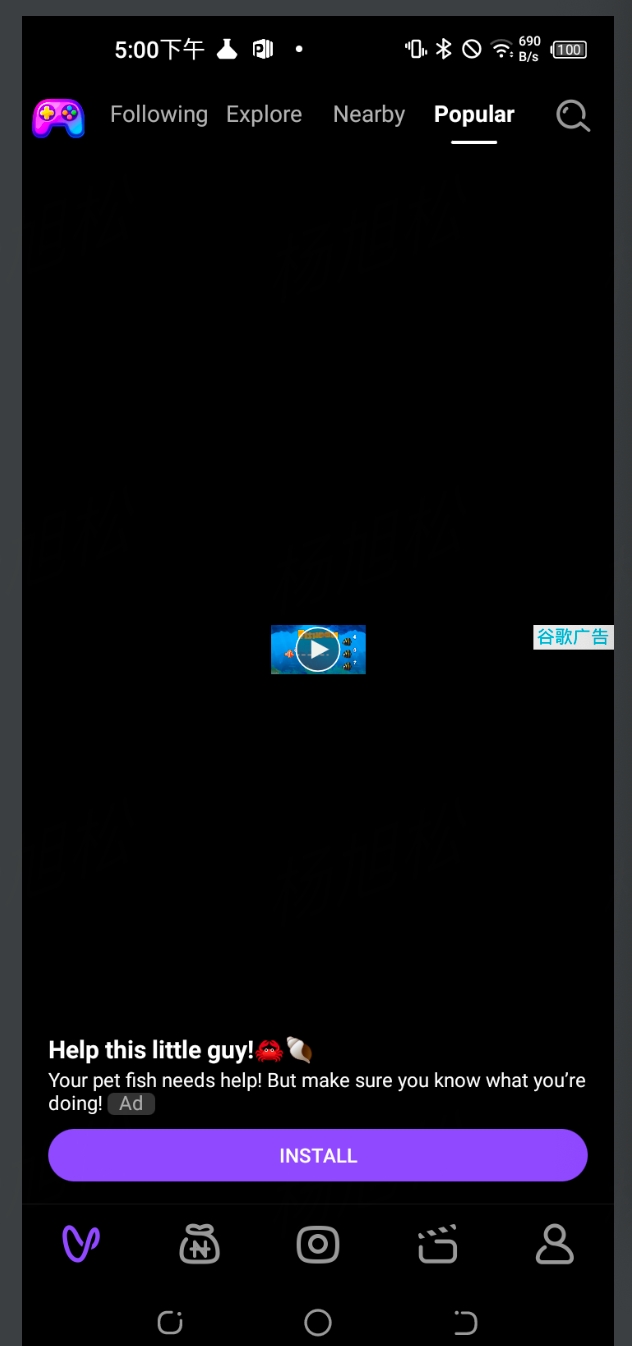
- Admob renders main image by Google, only exposes API for setting scaling method
- Hisavana SSP because delivered ADX's 200*200 ad Solution: Set layout height to match_parent, refer to question 2.2 for stretching method
5.3.11 Admob Video Ads Black Screen
Media starts preloading immediately after video ad display, admob returns ad within tens of milliseconds, suspecting admob preload returns previously displayed ad, so ad fails on next display after current display. Solution: Configure through cloud control to disable preloading for this code unit, verified no longer black screen issue
5.3.12 Interstitial Ad No Response After Click
Interstitial ad is popup-style Activity, registers broadcast when calling TInterstitialAd.show method, Activity's Action passed to TInterstitialAd via broadcast. If destroy() called after show(), previously registered broadcast unregistered, cannot receive Activity's Action, causing no response to click.
5.3.13 Rewarded Ad Cannot Play After Loading Complete
Admob video ads loaded using WebView, calling webview.pausetimer() before TRewardedAd.show() will cause loaded video unable to play, need to call webview.resumetimer() before show().
5.3.14 70007 No Ad Unit ID
Meaning: Cloud control didn't deliver the requested ad unit.
Actions to take:
- Cache reason: For example, newly added ad unit, local cloud control not updated timely. Clear cache, reopen project, update cloud control.
- API call sequence reason: For example, if start loading ads before cloud control request returns successfully,
Check if loading ads after cloud control load success callback
onCloudComplete. - Operations configuration reason: Operations personnel may not enable or activate ad unit after configuration, ensure ad unit is active.
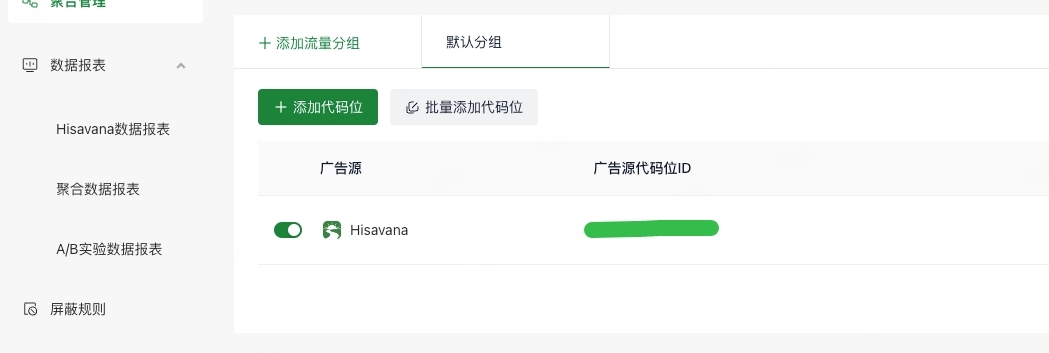
- Region issue: Operations configure some country delivery strategies for ad units, contact operations to confirm ad unit delivered in that country.
- Code unit configuration inconsistency: Confirm mediation configured ad unit matches Hisavana SSP configured code unit, otherwise will cause ad unit request failure.
- Optimization suggestion: Configure local default cloud control, create default cloud control json file (template contact operations personnel), configure to assets directory.
5.3.15 Splash Ad Displayed Image Cropped
Meaning: Material ratio inconsistent with device ratio causes equal ratio cropping.
Actions to take: Keep material ratio consistent with device ratio.
5.3.16 Native Ad, FB Ad Source, onLoad Method Not Called Back
Meaning: FB considers no main image means no exposure, so onLoad not called back.
Actions to take: Display the main image.
5.3.17 Splash Ad Automatically Closes After Display
Meaning: Calling loadad during splash ad adShow may cause ad overlay errors.
Actions to take: Pay attention to call sequence, one loadad corresponds to one adShow.
5.3.18 Pangle Ad Cannot Refresh, Error Code 40034
Error: Pangle Ads failed to load ad with error code: 40034 message:unknown server error Meaning: Pangle bidding type causes 40034 issue.
Actions to take:
- Ask operations to modify ad unit bidding type to client-side bidding.
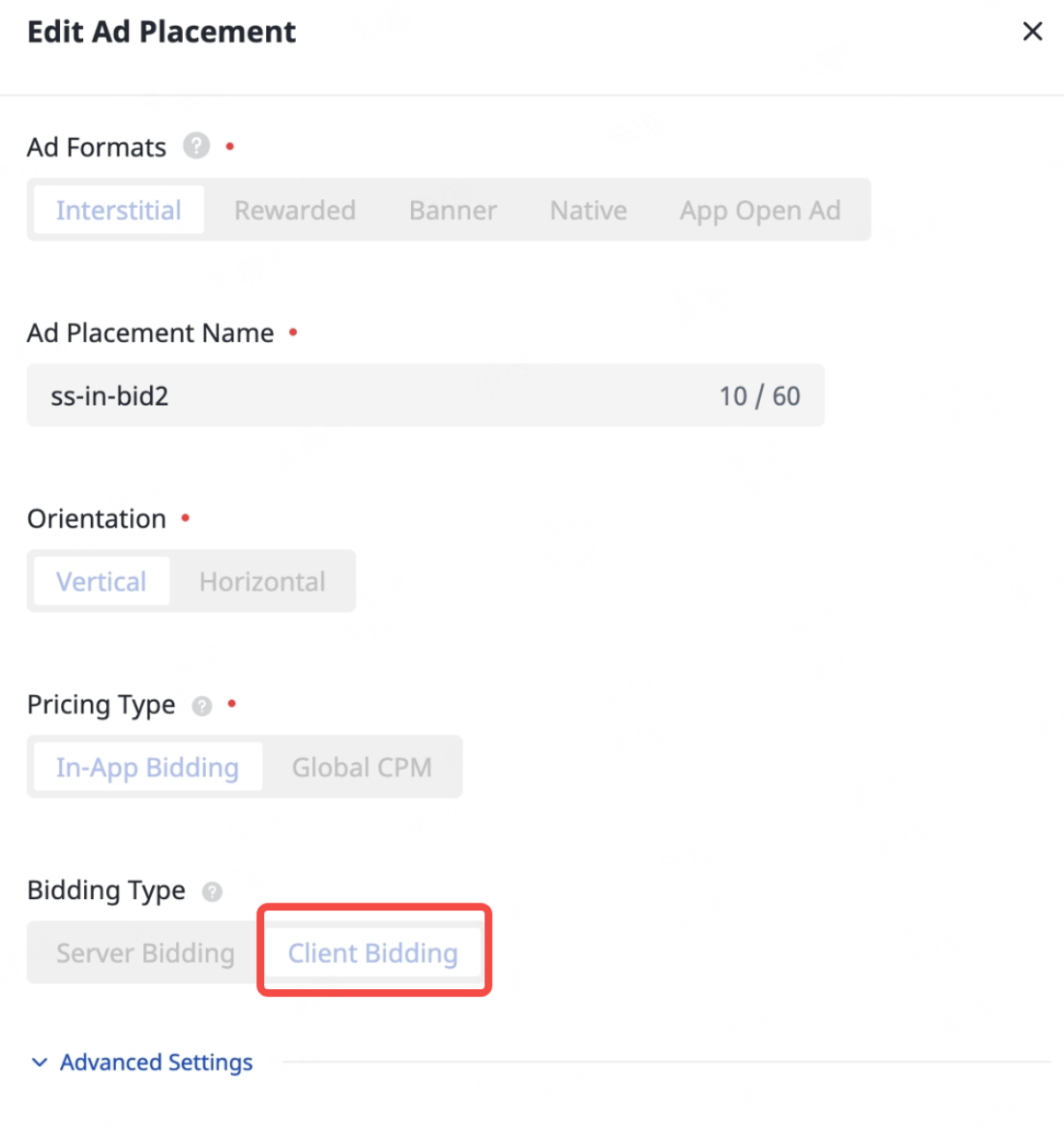
- Try again about 1 hour after modification.
5.3.19 Pangle Ad Banner Displayed with Cropping
Meaning: Pangle configured size ratio inconsistent with HS configured ratio.
Actions to take: HS has corresponding optimization in new version, upgrade to latest version (or version 2.9.4.1 and above).
5.3.20 Version 2.6.9.0 Landscape Display HS Interstitial Ad Forces Portrait, No Display and Close Callbacks
Meaning: HS 2.6.9.0 doesn't support landscape.
Actions to take:
- HS already supports in latest version (2.9.4.1), upgrade to latest version, (Currently HS supported landscape ad types: Banner, Interstitial).
- Disable HS ad source, use third-party ad sources like admob, etc.
5.3.21 Initialization Exception of Facebook Ad Source on Android 8 and Below Devices
Symptom: If the Facebook ad source is integrated, the ad SDK initialization reports the error Caused by: java.lang.ClassNotFoundException: Didn't find class "java.time.Duration.
Cause: Check whether the version of the play-services-ads-identifier library imported in the project is too high. Version 18.1.0 is recommended.
Solution: Forcefully specify the version number in the root directory build.gradle file.
configurations.configureEach {
    resolutionStrategy {
        // Forcefully specify the version as 18.1.0
        force 'com.google.android.gms:play-services-ads-identifier:18.1.0'
    }
}