4.3 TopOn Adapter
4.3.1 Version Release History
| Version | Release Date | Updates | minSdkVersion |
|---|---|---|---|
| 3.6.6.1.1 | 2026-07-28 | Depends on Hisavana SSP SDK version 3.6.6.1; TopOn version 6.6.22.1 | 23 |
4.3.2 TopOn Console Configuration Process
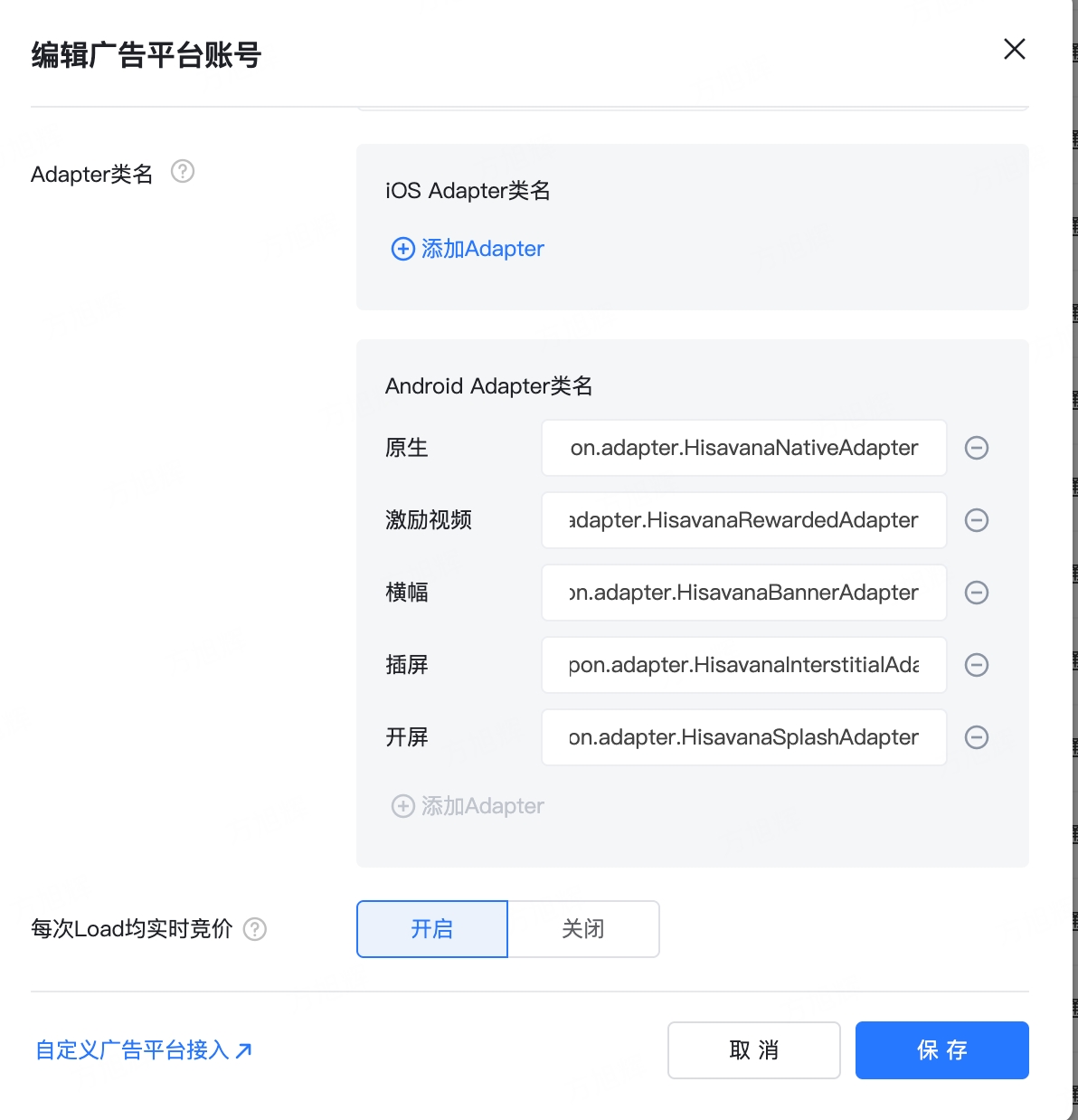
- On the Ad Platform page, add a custom ad platform and configure the Class Name. Set "Real-time bidding on every load" to Enabled.
| Ad Type | Class Name |
|---|---|
| Native | com.hisavana.topon.adapter.HisavanaNativeAdapter |
| Banner | com.hisavana.topon.adapter.HisavanaBannerAdapter |
| Interstitial | com.hisavana.topon.adapter.HisavanaInterstitialAdapter |
| Splash | com.hisavana.topon.adapter.HisavanaSplashAdapter |
| Rewarded | com.hisavana.topon.adapter.HisavanaRewardedAdapter |
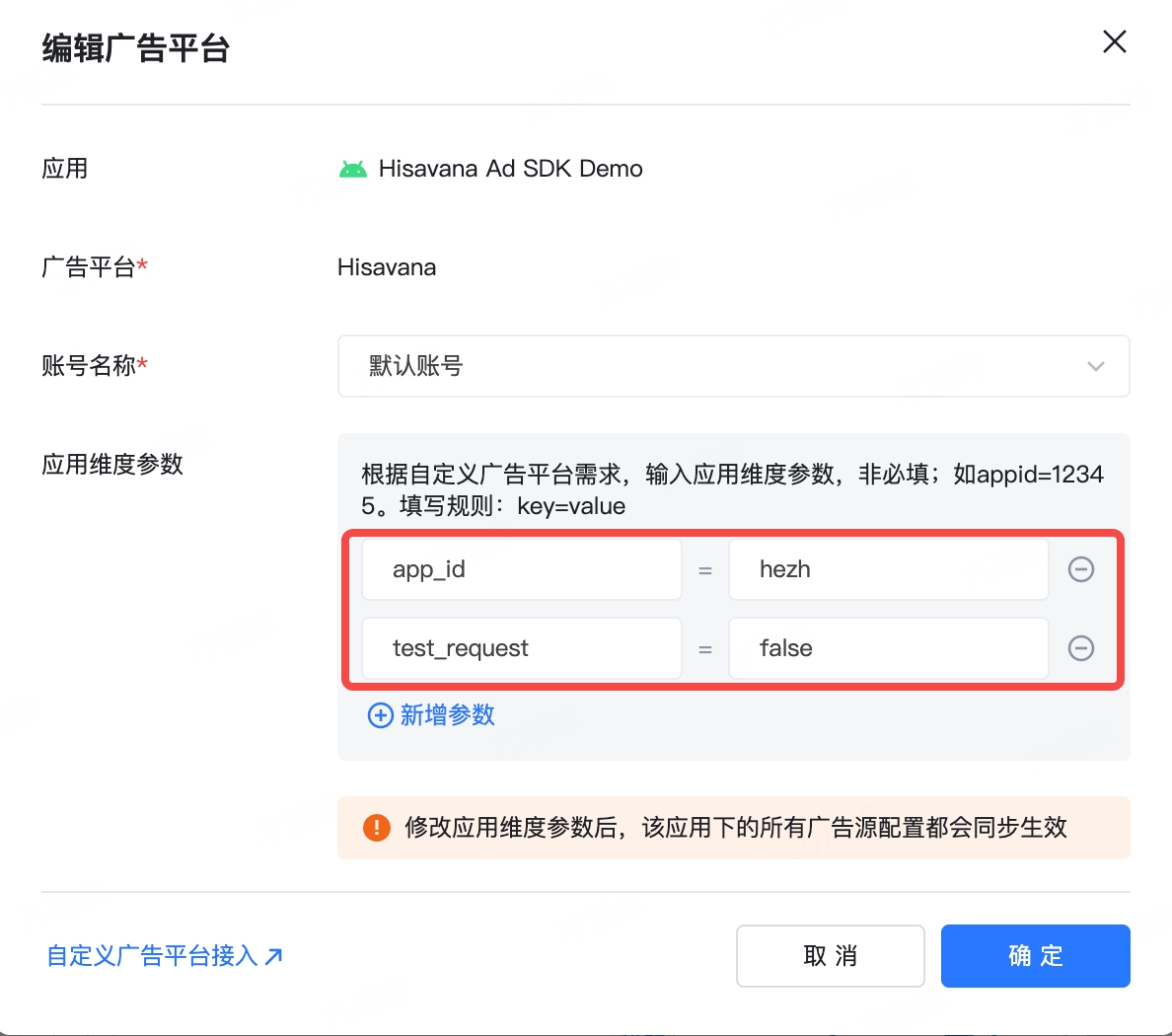
- Under the corresponding monetization app, bind the platform account. For
app_id, enter the App ID obtained from the Hisavana SSP console. Fortest_request, enter true to request platform test ads; use this parameter only in test groups.
danger
Production release warning: Do not include the test_request parameter.
- Under the corresponding mediation ad unit, configure the Code Seat ID. For
unit_id, enter the Code Seat ID obtained from the Hisavana SSP console. Note: It must match the current ad format.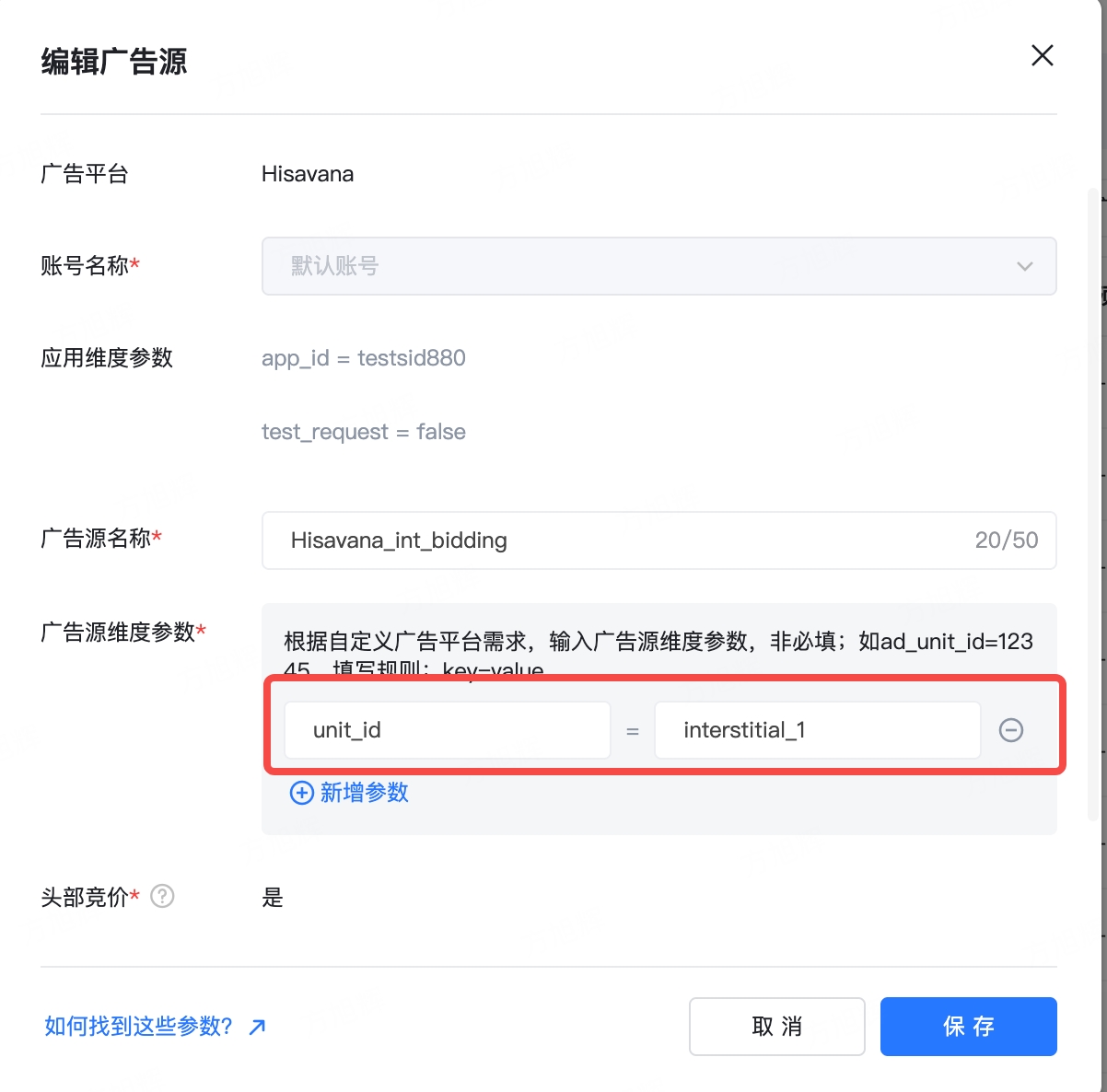
4.3.3 Importing the Adapter
First, add the maven remote repository URL to the project-level build.gradle file, as shown below:
buildscript {
    repositories {
      maven { url "https://mvn.shalltry.com/repository/maven-public/" }
      maven { url "https://mvn.shalltry.com/repository/ad-releases/" }
    }
}
allprojects {
    repositories {
      maven { url "https://mvn.shalltry.com/repository/maven-public/" }
      maven { url "https://mvn.shalltry.com/repository/ad-releases/" }
    }
}
Then, introduce the TopOn adapter package in the Module's build.gradle:
implementation "com.cloud.hisavana.sdk.ssp.adapter:topon:3.6.6.1.1"
4.3.4 Integration Testing Instructions
Adapter log filter tag: hs_top_adapter
Run the following command to enable DEBUG logging:
adb shell setprop log.tag.hs_top_adapter DEBUG